
Introduction
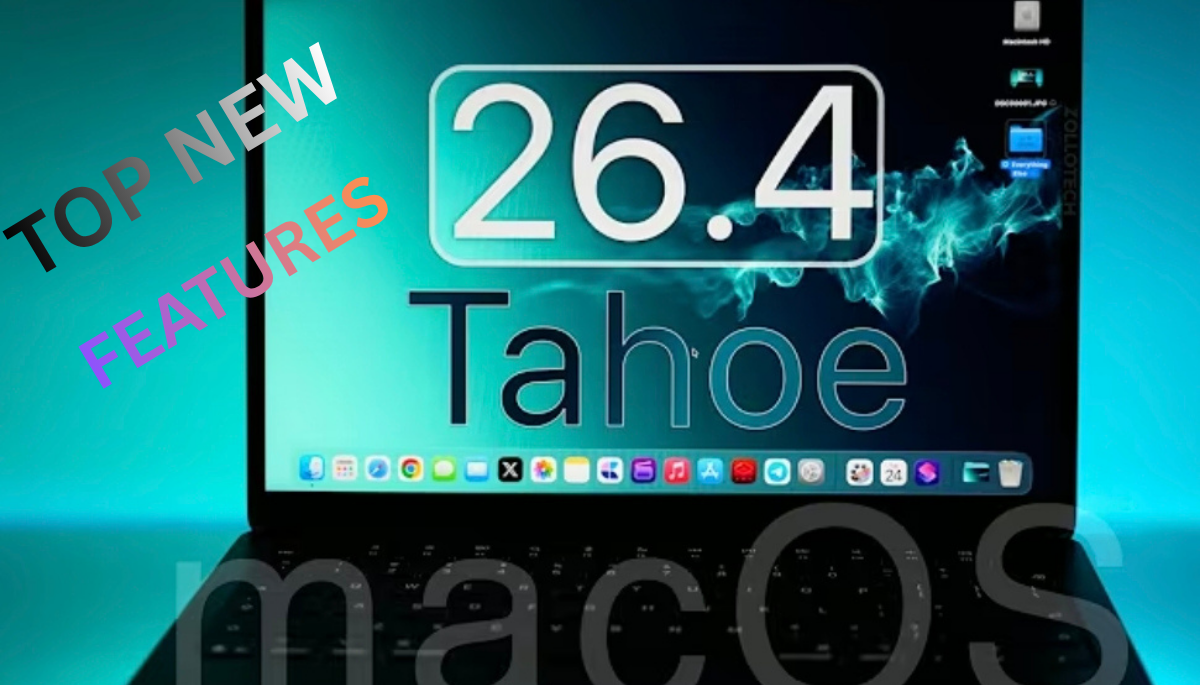
MacOS Tahoe 26.4 has been officially released, bringing many new features and changes.
and macOS Tahoe 26.4 for all devices that support macOS Tahoe 26.4 globally.
This update improves various aspects of the system, and we are going to cover the important updates that users need to know about.
It’s designed to extend the functionality of your Mac, improve performance, and improve the user experience.
Apple’s update for this release focuses on improving specific areas like battery management, iCloud, Safari, and Apple Music.
This update has been made keeping the users in mind.
Table of Contents
Battery and Charging Features for macBooks.
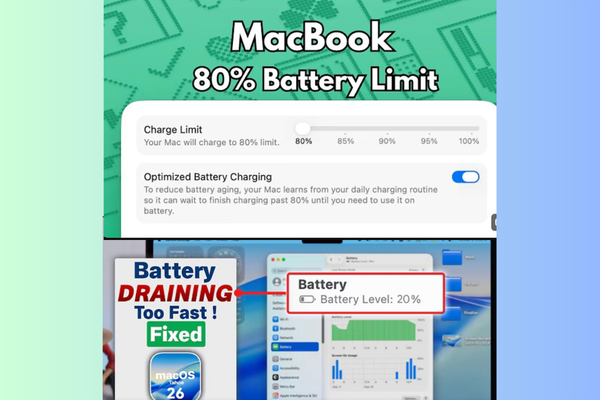
- Apple has introduced an iPhone-like battery charge limit feature in macOS Tahoe 26.4, which is available on Apple Silicon Mac Books.
- Apple has allowed users to set a limit, allowing them to set a charge limit between 80% and 100% to optimize battery health.
- Apple has not included this feature in desktop Macs (iMac, Mac Mini, Mac Studio, Mac Pro) because they do not have batteries.
- Apple has not included this feature in desktop Macs (iMac, Mac Mini, Mac Studio, Mac Pro) because they do not have batteries.
Rosetta Support Notification
- Rosetta support for Intel-based apps will end with macOS 27.
- Starting with macOS Tahoe 26.4, users receive notifications when opening apps using Rosetta about this upcoming incompatibility.
- Continued support will remain for older games using Rosetta and Intel binaries in Linux virtual machines.
Safari Compact Tab Layout Returns
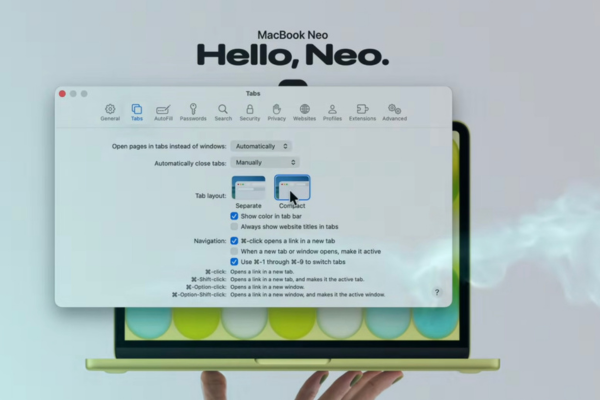
- Apple has reinstated the compact tab layout in Safari after it was removed in macOS 26.
- The website URL now appears next to tabs and options, resulting in a cleaner and more unified interface with user feedback.
Apple Intelligence Models and Music App Updates.
- Some Mac users may notice a re-download of Apple Intelligence models after updating, which could indicate future improvements to Siri/Gemini integration.
- The Music app features a new full-screen mode with album art display.
- The “Now Playing” feature now supports syllable-by-syllable lyrics display on Mac, which was previously only available on iPhone and iPad.
- The Mini Player also supports this updated lyrics display.
- In addition, an issue with the window resize pointer has been fixed, making window adjustments smoother and easier.
Airdrop and Continuity.
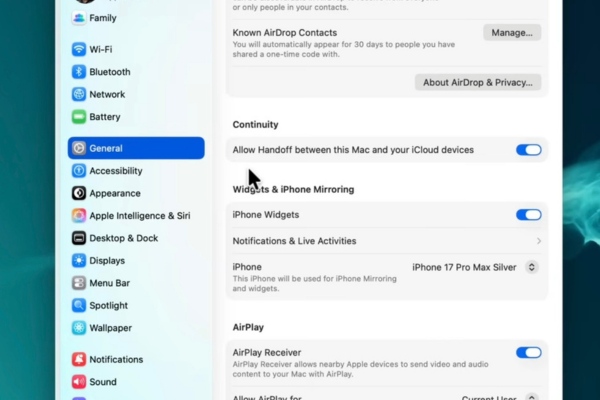
- The settings menu has been reorganized:
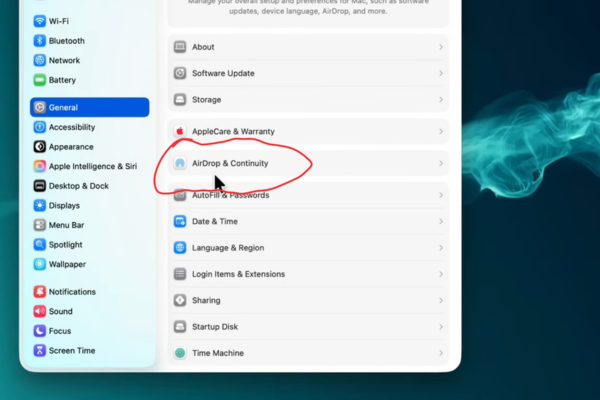
- The “AirDrop & Handoff” option has been renamed to “AirDrop & Continuity.”
- Some menus have changed, including moving iPhone Mirroring from the Desktop & Dock to the AirDrop & Continuity section.
Setup Marketplace for Apps.
Setup is a new marketplace designed to help Mac and iPhone users find selected, safe apps in one place, eliminating the risk of downloading random or unsafe apps.
Examples of apps available on Setup include:
- Clean Up My Mac for system optimization and junk cleaning.
- AI Dent Pro for battery health management, useful for those hesitant to upgrade to macOS 26 due to stability concerns.
- Bartender for organizing and hiding menu bar icons to increase productivity.
- Setup offers flexibility: users can purchase individual apps or subscribe to a suite that provides access to over 260 apps under one subscription.
- To make the process easier, iOS apps can be downloaded by scanning a QR code.
Podcast App Enhancements.
- Podcasts supporting both audio and video formats now allow seamless switching between these modes within the app.
- Users can tap to watch video podcasts when available and return to audio by closing the video player.
- Although few pod casters currently upload both formats, this feature is expected to become more useful over time.
Spotlight Search File Type Control.
- In System Settings under Spotlight, a new Info tab lets users enable or disable specific file types from appearing in Spotlight search results.
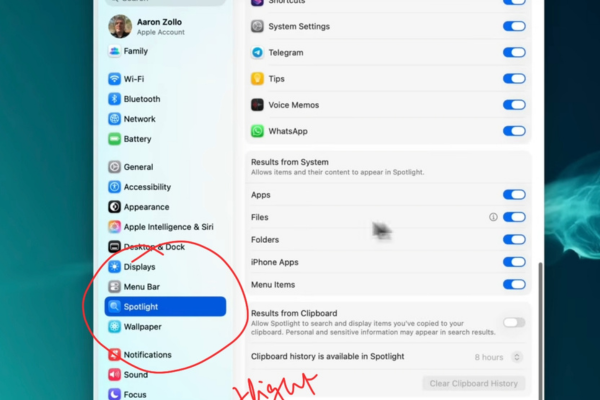
- Users can manually add file formats (e.g., PNG, PDF) to hide them from search results, providing more precise control over indexed content.
New Wallpapers for MacBook Neo.
- macOS Tahoe 26.4 includes new wallpapers named Mac Purple, Mac Blue, Mac Pink, and Mac Yellow, inspired by the MacBook Neo lineup.
- These wallpapers visually spell out the word ”Mac” with the letters incorporated into the design.
- Although the naming lacks the “Neo” suffix, the wallpapers are accessible even without owning the MacBook Neo.
Manage iCloud.com Data Access
A new setting within iCloud in System Preferences allows users to manage data access permissions for iCloud.com.
New features include in MacOS Tahoe 26.4
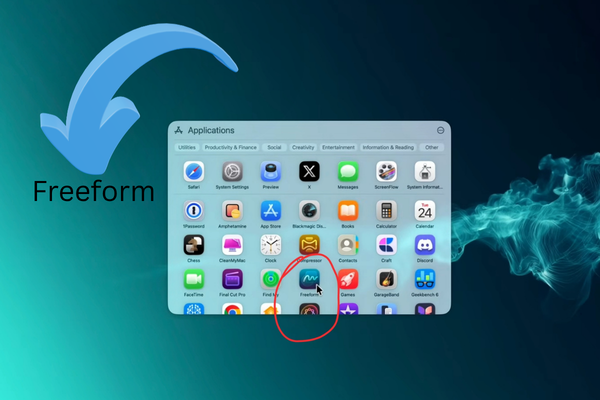
Free form App Updates:
- The ability to create new forms with updated menus and modern pop-up guides.
- The grid and discovery options have been retained for better usability.
- The Free form app icon and interface have been updated. Upon launch, users see a welcome screen indicating Free form is now part of the Apple Creator Studio.
Turn data access on or off.
Turn on sharing of search results on iCloud.com from trusted Apple devices.
Export recent search queries as a CSV file or clear search history, improving privacy and control.
Control Center and Notification Center visual improvements.
The previous macOS 26.3 update introduced unwanted shadow overlays and banding artifacts in Control Center and Notification Center.
macOS Tahoe 26.4 fixes these visual issues, resulting in a cleaner and brighter look without blurring or shadow effects.
Podcasts app enhancements
Podcasts now support both audio and video formats, allowing for easy switching between these modes within the app.
Reminders app: Added Urgent section.
A new Urgent section appears in Reminders, allowing users to mark reminders as urgent by toggling the clock icon.
Urgent reminders trigger alarms on the paired iPhone (e.g., iPhone 16 Pro), not the Mac itself.
Additional customization options include setting date, time, priority, tags, location, and messaging triggers.
Conclusion.
- macOS Tahoe 26.4 brings several useful updates to system settings, apps, and UI improvements.
- Viewers are encouraged to vote on which new feature they like the most.
- Battery health management has been prioritized with a new charge limit feature on MacBooks.
- Customizable battery charge threshold (80–100%) is a big change for MacBook users.
- Urgent Smart List in Reminders improves task prioritization.
- Compact tabs are back in Safari, improving browsing performance.
- Family Purchase Sharing now allows adult members to use their own payment method.
- Rosetta support will be phased out, and a warning will be provided.
- Security updates are critical and important, making this update necessary.
- Enterprise users get several management and configuration improvements.