
Introduction:-
Is it worth buying Huawei Tab12X
YES Huawei Tab12x is really worth to buy in usa .because Huwaei Tab12x offer greate hardware at attractive prices . and Huawei Tab have PC like feel productivity and it can be replace Laptop Experiences .It has good and big 12 inch Screen display and better battery life performace including 12 GB Of RAM .Huawei Tab12x having HarmonyOS 4.3 Operating System. you can continue read more information about this.
Table of Contents
Huawei Tab 12X Details Overview
The Huawei Tab12x grabs your attention right away. It looks sleek, feels well-built, and gives off a premium vibe as soon as you hold it. The matte LCD display really stands out too — it’s bright, vivid, and sharp, making everything on screen look smooth and polished without distracting glare.The anti-glare coating works well in most situations, though under very harsh lighting the contrast does take a hit.
Audio is one area where the Huawei Tab12x really shines. Its six-speaker system, paired with a dual mic-speaker setup, produces loud, clear, and well-balanced sound that works great for streaming videos or everyday music listening. While the audio experience is impressive, Huawei’s MatePad Pro models still pull ahead if you’re looking for the very best sound quality in the lineup.
The Huawei Tab12x truly stands out when it comes to drawing and handwriting. The display size hits a sweet spot for sketching ideas or taking notes, and the pen input feels fast and natural with smooth, accurate strokes. It’s a fun and comfortable tablet to create on. Battery performance is reliable as well, delivering roughly 8 hours with everyday use, or about 5 to 6 hours when the screen brightness is pushed to the max.
That said, there’s one big drawback you need to keep in mind — the tablet doesn’t support the Google Play Store.
While it is possible to install Google Play manually,From the GBox APP. There is no perobem to install it .you can install easy.
How to Install GBox App in Huawei Tab 12X form the Huawei App Gallary.
Gbox App installation Guid Step-by-Step
- Go to Huawei App Gallery
- Search GBox
- Click on Download and install GBox
- Download and install iOS 26.3
Display size & type
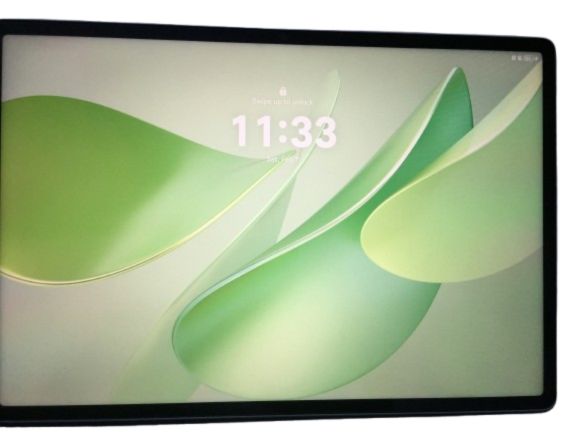
If you are looking big-Display size tablet for gaming or watching videos , online classes,office work and entertainment.then Huawei tab 12x tablet perfect for you.Huawei Tab 12x is designed Ultra Paper Matte display.
The Huawei Huawei Tab12x feels great the moment you hold it. It boasts a modern design and is lightweight yet premium. The Huawei MatePad 12X is 270 mm (10.63 inches) long and 183 mm (7.20 inches) wide, making it perfect for working anywhere with a tablet.
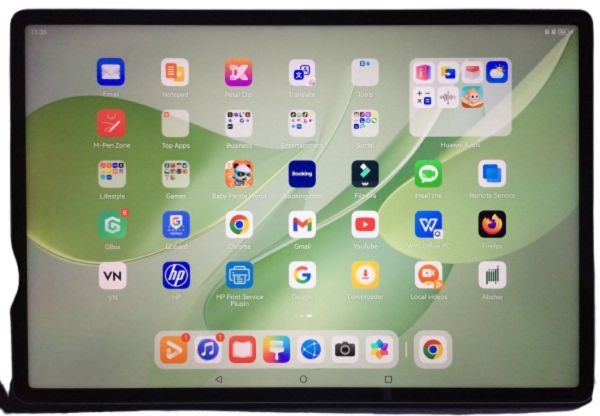
At just 5.9 mm (0.23 inches) thick, the Huawei Tab12x is quite slim. Even with its large display, it weighs around 555 grams (1.22 pounds), which means it’s light enough to hold for long periods of time while reading, sketching, or multitasking without your hands getting tired. Whether you’re working, streaming, or creating, this tablet is clearly designed to be comfortable all day long.
It’s a 12-inch display with It’s 2,800 by 1840 resolution and adaptive 144Hz refresh rate.and you can do everyday tasks withaout paying iPad-level prices.
Processor & performance level
An excellent tablet for productivity and entertainment paper matte display is sharp,bright and easy on the eyes,even under strong lighting.Battery life is long lasting with fast charging and the speaker quality is impressive over all,it is premimum.
Powering the Huawei Tab 12x is Huawei’s in a processor octa-core chip with clock speeds reaching up to 2.49GHz. The review unit we tested comes loaded with 12GB of RAM and 256GB of storage, which leaves plenty of room for multitasking, big files, and media-heavy use.
If you plan to use the Huawei Tab 12x daily, this tablet is the best choice for you, as apps load smoothly and multitasking is effortless. It handles web browsing, document editing, and small creative tasks with aplomb.
This makes the Huawei Mate Pad 12x more like a reliable work tool and laptop than a casual tablet.
Battery & charging
Huawei Tab 12x has supported a very powerful battery in this tablet which comes with a 10,100 mAh battery.
If we talk about its performance, it is very good which gives a backup of 12 to 13 hours. If we talk about the app mix, it easily lasts the whole day. If we talk about the charger, it supports 66W HUAWEI SuperCharge which charges the battery very quickly during short breaks.
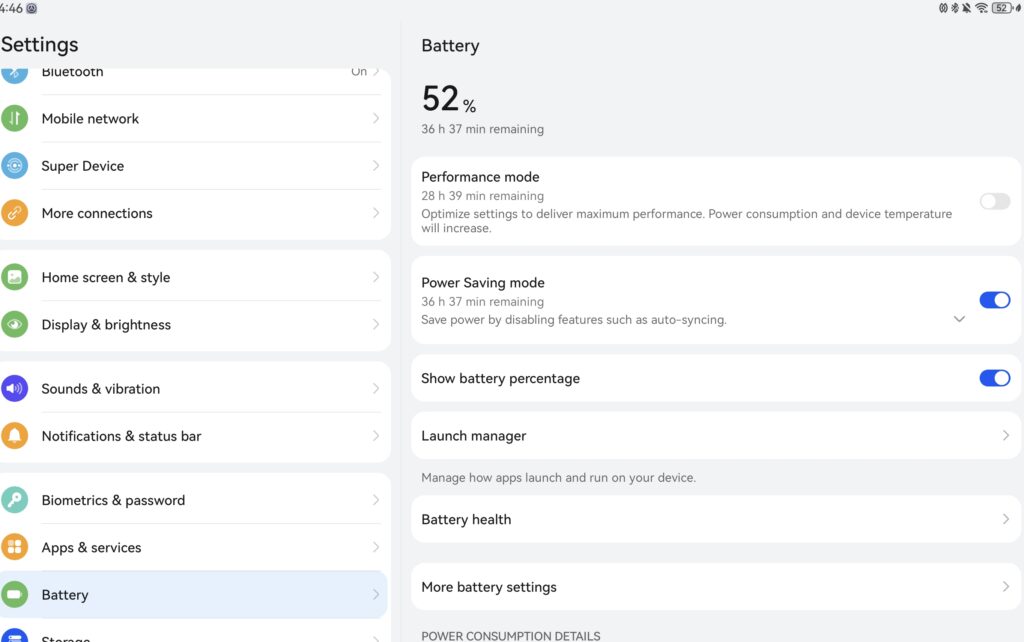
If you want to do video editing, multitasking or creative work with this tablet, then it can work comfortably for the whole day without any power bank or wall outlet.
Camera Quality
In terms of cameras, the Huawei Tab 12x has a 50MP rear camera and an 8MP front camera, both without flash.
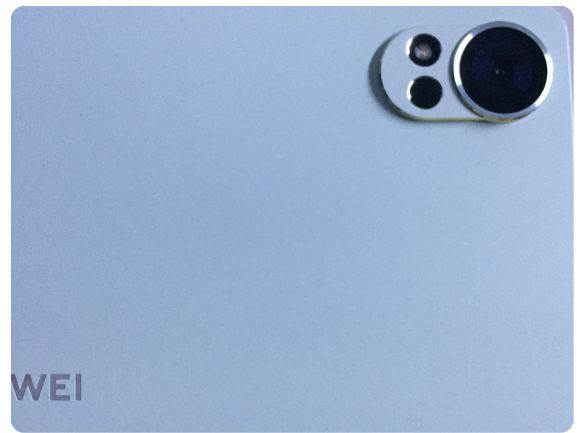
The camera isn’t smartphone-level for document scanning and photo-taking, but it’s sufficient for light productivity tasks.
Operating system
The operating system on the Huawei Tab12x is Huawei’s HarmonyOS 4.3. This OS includes all the multitasking tools and features you’d expect from a smart tablet, such as split-screen windows, floating windows, and task docking, making it feel more like a PC or laptop than a typical Android tablet.
Connectivity
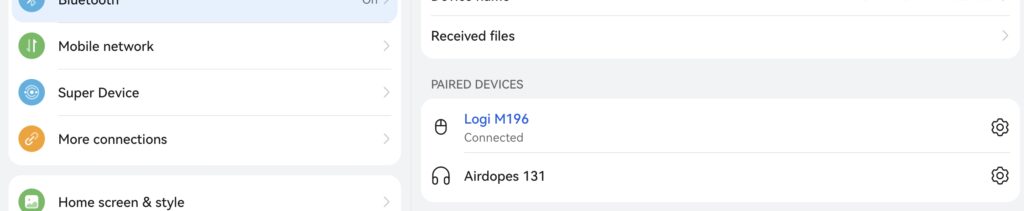
Huawei Tab12x offers all the connectivity options you need for everyday life, including:
Wi-Fi: 802.11 a/b/g/n/ac,
Bluetooth: 5.2, USB: Type-C 3.1, OTG, Magnetic Accessory Connector
But this tablet doesn’t have cellular support.
Watch full videos about Huawei Tab 12x
Huawei Tab12x Full specification & Details
| Specification | Details |
|---|---|
| Display Size | 12-inch IPS LCD (2800 x 1840) |
| Dimensions | 270 × 183 × 5.9 mm |
| Weight | 555 g |
| RAM | 12 GB |
| Internal Storage | 256 GB |
| Resolution | 2800 × 1840 pixels |
| Screen-to-Body Ratio | 88% |
| Refresh Rate | 144 Hz |
| Pixel Density (PPI) | 280 |
| Peak Brightness | 1000 nits |
| Display Type | LCD PaperMatte Display |
| Battery Capacity | 10,100 mAh |
| Charging Power | 66W fast charging |
| Front Camera | 8 MP |
| Rear Camera | 50 MP |
| Audio | 6 speakers, 2 microphones |
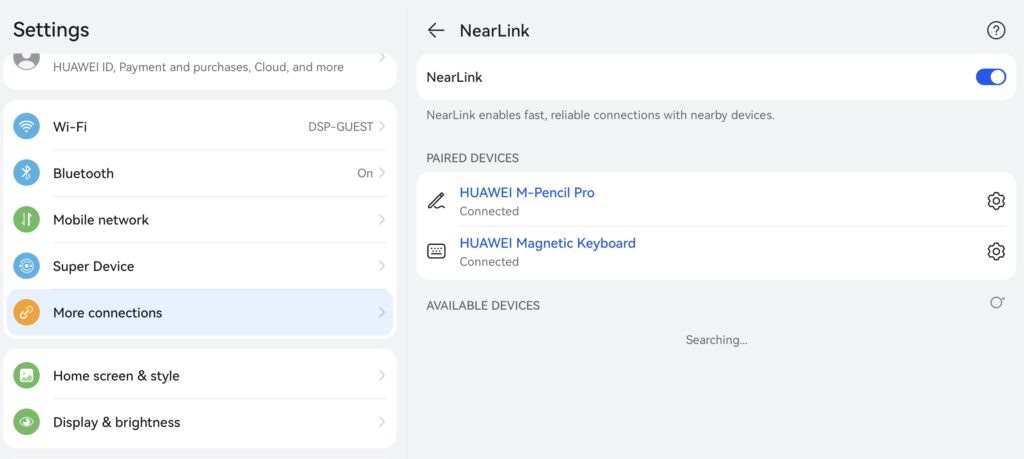
| Connectivity | NearLink, Wi-Fi, Bluetooth |
| GoPaint Support | Supported |
| Compatible Stylus | Huawei M-Pencil Pro |
| Keyboard Support | Huawei Ultra-Light Keyboard |
Pros & Cons of Huawei Tab 12x
Pros(Advantage)
The display is large and immersive.
Battery life is strong.
The price is very affordable.
Great for content creators, students, and office work.
Filmora video editing software is supported.
OTG support.
PC-level Productivity
Cons(Disadvantage)
Disadvantages
There’s no Google Play Store built in by default.
The camera is simple and average.
Not ideal for heavy gaming.
Who Should Buy Huawei Tab 12X?
Here in some Example
Student- If you are a student then Huawei Tab 12x is best for you for online classes, making some project assignments.
Content Creators– for Content Creating ,Huawei Tab12X is best. Because it has totaly office work can do easily.
Creative User- if you are looking for drawing ,Note-taking , sketching. then Huawei Tab 12x is perfect becouse this tablet is matte glass display make this tablet a joy to use with Huawei’s stylus Pencil .
Office & Remote Worker- Office and Remote Workers- Huawei Tab 12x is fit for office and remote workers to easily carry and work anywhere as it fully supports WPS Office and delivers PC level productivity.ce and Remote worker to carry easyly
Budget Tablet Buyers-If you’re looking for a tablet with high-end hardware and quality accessories at a reasonable price, the Huawei Tab 12x is the perfect tablet. It feels more like a laptop than a tablet. And its software and application experience are slightly different from Android or iPad devices.
Conclusion
The Huawei MatePad 12X is thoughtfully designed and well-built. It has almost everything most people expect from a modern tablet. In terms of hardware and overall experience, it easily competes with much more expensive options—and if a similar tablet had the Apple logo on it, it would probably cost significantly more.
One of the standout touches is the matte-style screen, which gives writing and sketching a more paper-like feel compared to standard shiny displays. The stylus glides smoothly, stays responsive, and feels dependable, which makes drawing or taking notes genuinely fun.
That said, the main trade-off with this tablet comes down to the software experience.There’s no official Google Play Store support, and while there are ways to install Google apps, performance depends on what you use.